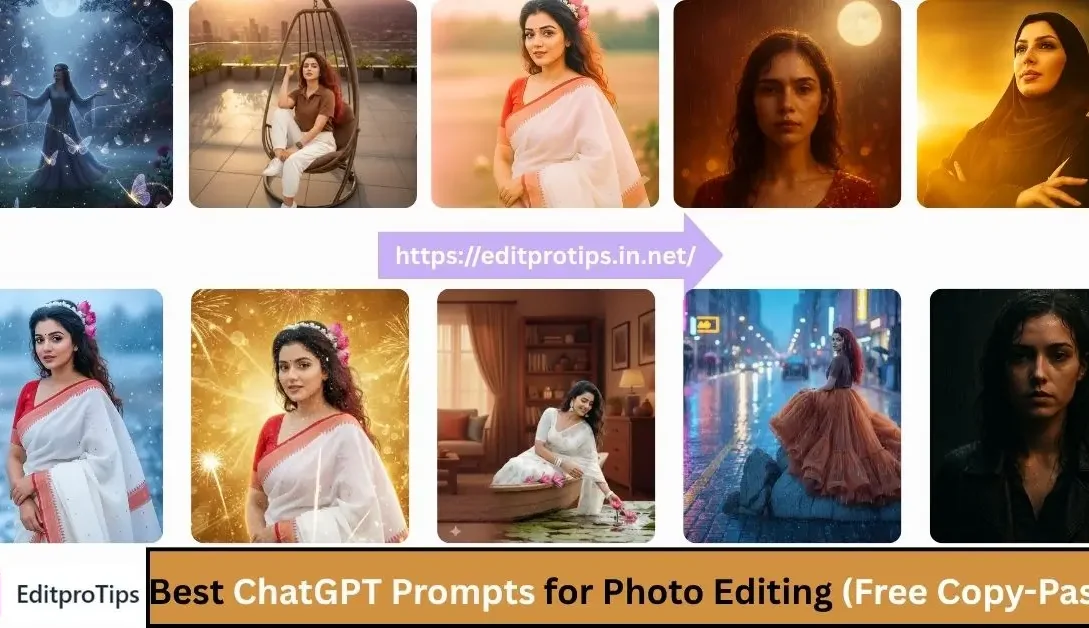
In today’s world of AI creativity, photo editing has become faster, smarter, and more magical than ever — thanks to ChatGPT prompts for photo editing. With just a few words, you can completely transform an ordinary picture into a stunning, professional-looking masterpiece.
Whether you want to create Instagram-trending photos, add rain and snow effects, or design beautiful Diwali and Karva Chauth edits, ChatGPT can do it all. These free copy-paste prompts are specially designed to help you achieve the perfect lighting, colors, and aesthetic look — without needing Photoshop or advanced editing skills.
If you love editing photos for social media or simply want to explore AI creativity, this post is your go-to guide. Let’s dive into the most popular and trending ChatGPT prompts for photo editing that you can use instantly to make your pictures go viral!
Table of Contents
What Is a ChatGPT Prompt for Photo Editing?
A ChatGPT prompt for photo editing is a short text instruction that tells AI how to enhance or transform your photo. You can use these prompts in ChatGPT (with image tools), or in AI image editors like Gemini, Leonardo, or Midjourney to get creative photo edits instantly.
Example:
“Make my selfie look cinematic with golden sunset lighting, lens flare, and soft background blur.”

Top Trending ChatGPT Prompts for Photo Editing
Trending Rain Photo Prompts
- “Add a rainy atmosphere with water reflections and umbrella aesthetic.”
- “Make my photo look cinematic in the rain with droplets and dark background.”
- “Add neon light reflections on wet roads with soft glow and blue tint.”
- “Create a romantic rain edit with transparent umbrella and soft drizzle.”
Instagram-Trending ChatGPT Prompts
- “Make my photo look viral on Instagram with aesthetic lighting and pastel tones.”
- “Add trending glow, lens flare, and cinematic blur for a viral DP look.”
- “Create a moody vibe with warm filters and professional skin tones.”
- “Add pink-orange sunset lighting and glossy background for an influencer style.”
Google Gemini Top 50 Viral DP Backgrounds Prompts Download (Full HD)
Karva Chauth Photo Editing Prompts
- “Enhance my Karva Chauth photo with moonlight glow and red-gold tones.”
- “Add traditional lighting, diya glow, and festive sparkle.”
- “Make the background romantic with full moon and soft stars.”
- “Create a cinematic Karva Chauth portrait with focus on sindoor and thali.”
Diwali Photo Editing Prompts
- “Add glowing diyas, bokeh lights, and warm festive tones.”
- “Make my photo sparkle with fireworks and golden background.”
- “Create a family Diwali portrait with traditional outfit enhancement.”
- “Add vibrant rangoli pattern and soft golden light.”
Google Gemini Glowing Butterflies Ai photo Editing Prompts
Mom Photo Editing Prompts
- “Make my photo with mom look emotional and heartwarming with soft sunlight.”
- “Add a cozy home background with warm tones.”
- “Create a festive mother-child portrait with gentle blur and soft glow.”
- “Add flower petals around mom for a pure and loving effect.”
utterflies Photo Editing Prompts
- “Add glowing butterflies flying around me with dreamy lights.”
- “Create a magical forest background with soft lighting and sparkles.”
- “Add neon butterflies and pastel sky for an aesthetic vibe.”
- “Make my portrait look fantasy-style with colorful butterfly wings.”
Snow Photo Editing Prompts
- “Add snowflakes falling around with cool winter tones.”
- “Create a Christmas snow background with soft lights.”
- “Make my photo look like a winter photoshoot with cozy clothes and breath mist.”
- “Add realistic snow overlay and blue ambient lighting.”
Google Gemini Viral Girlfriend Ai Photo Editing Prompts
Drone View Photo Prompts
- “Make my photo look like a drone shot from above with cinematic lighting.”
- “Add aerial perspective with fields, roads, or sea below.”
- “Create a drone-style top-view photo with depth and contrast.”
- “Turn my standing photo into a wide-angle drone capture.”
How to Use ChatGPT for Photo Editing
- Open ChatGPT (with image-generation or editing tools).
- Upload your photo or describe your image clearly.
- Copy and paste any of the above prompts.
- Wait for ChatGPT (or AI editor) to generate your result.
- Download and share your AI-enhanced photo!
Google Gemini Trending Rain Ai Photo Editing Prompts 100% Working
Why Use ChatGPT for Photo Editing?
- Free and easy to use
- Works with creative and realistic styles
- Fast results with no software
- Perfect for Instagram, thumbnails, and viral DPs
Frequently Asked Questions
Can ChatGPT edit my photo directly?
Yes! ChatGPT (with image editing or generation support) can apply prompts to transform your image instantly.
Can I use these prompts on other AI tools?
Definitely — they work on Gemini AI, Leonardo AI, Midjourney, Canva Magic Studio, or any AI editor that accepts text prompts.
Are these prompts free to use?
Yes, all prompts listed here are completely free and copy-paste ready.
What’s the best ChatGPT prompt for viral photos?
“Make my photo go viral on Instagram with soft lighting, pastel background, and cinematic focus.”
Conclusion
Using a ChatGPT prompt for photo editing can instantly transform your images into professional, creative, and share-worthy visuals. Choose your favorite category — Rain, Diwali, Mom, or Drone — and create magic with just one prompt!